Famous quotes can be a great way to illustrate your point when your giving a presentation. Done right, you leave a lasting impression on the audience. Done wrong, your meticulously curated quote is just another boring slide.
Before
Problem 1: Uninteresting typography
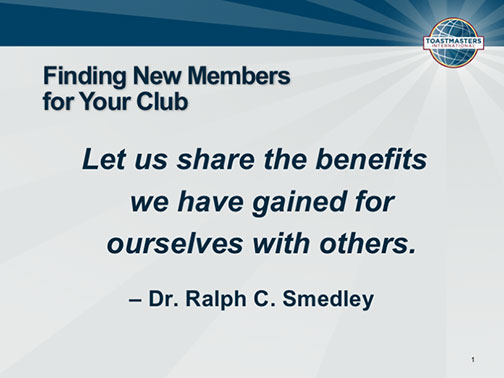
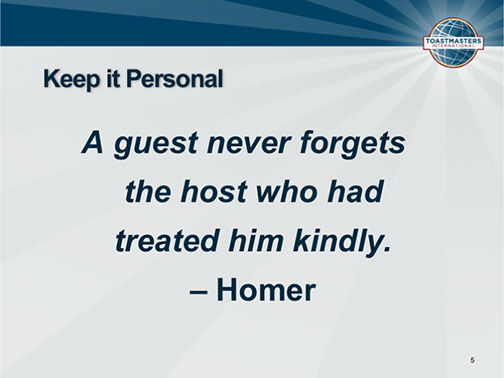
Oh boy, Arial Bold. Again. Although an attempt was made to vary the size, leading (line spacing) and style, essentially there’s nothing that stands out about this type treatment.
Problem 2: Distracting titles
Sometimes the meaning of the text is enough that you don’t need a title for your slides. On both of these slides, the titles serve more as thematic notes for the presenter than useful information for the audience.
Problem 3: Numbers on slide
You don’t need to number your slides because they’re not pages in a book. Numbering slides is as useful as counting how many Cheerios are in your bowl. It’s vaguely helpful information to have but ultimately it doesn’t matter.
Problem 4: No pictures
With a little extra effort, these slides could be made more interesting to look at. Hey, I know…let’s add pictures!
After

Solution 1: Added variety to type
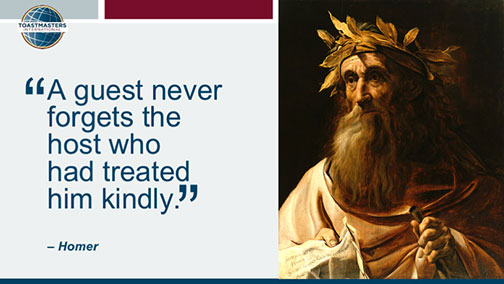
The quotation marks are oversized, demonstrating that these are, in fact, quotations. The text of the quotations is large, and the person being quoted is small, focusing attention on what was said. On the first slide, I overlaid the text on a part of the photo I wanted to downplay so that the viewer would focus on the man on the left.
Solution 2: Removed titles
If we treat the titles as notes for the speaker, we don’t put them on the slide. We put them in…wait for it…the Speaker Notes! Not having titles frees up more space for the quotes and the added pictures.
Solution 3: Removed slide numbers
If you need more reasons to justify this action, then click here.
Solution 4: Added photos
A quick Internet search turned up these lovely photos of the quoted people to use on the slides. The quotes are humanized by being able to see who said them.
In conclusion…
Adding pictures and varying the size, weight and color of type can make your slides much nicer looking and informative.
[button link=”https://www.lauramfoley.com/gallery-2/” color=”orange” target=”_self” size=”small” title=”Back to Gallery”]Back to Gallery[/button]
[divider style=”shadow”]
Submit your own slide for a Makeover!
If you subscribe to the Cheating Death by PowerPoint newsletter you can receive a free Slide makeover! Here’s the deal: In exchange for permission to use your slide in the newsletter and on this website for promotional purposes, you’ll get the redesigned PowerPoint slide file to use in any way you like. So not only do you get access to a step-by-step video on how the slide was redesigned and the source file, you learn the reasons behind all of the changes!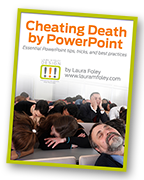
You’ll also get a free eBook, Cheating Death by PowerPoint: Essential PowerPoint Tips, Tricks, and Best Practices, which includes loads of advice on how to improve the way you work with PowerPoint!
[button link=”https://list.robly.com/subscribe?a=c4115aa351a8e513f6e3b7af8ffaf943″ color=”default” target=”_blank” size=”small”]Subscribe to the Cheating Death by PowerPoint newsletter[/button]
[divider style=”shadow”]
[button link=”#top” color=”gray” target=”_self” size=”small” title=”Back to top”]Back to top[/button]
You must be logged in to post a comment.